Embedding Your Stream on Your Website
In the dynamic landscape of digital content consumption, live streaming has emerged as a potent tool for businesses, creators, and individuals to connect, engage, and inform. Beyond simply broadcasting content, embedding your live stream directly on your website offers a myriad of benefits that can significantly elevate your online presence and audience interaction. This comprehensive guide explores the significance of stream embedding, introduces Streameg as a powerful solution, and provides actionable strategies to optimize your embedding efforts.
Written by Yasiru Rasanjaya
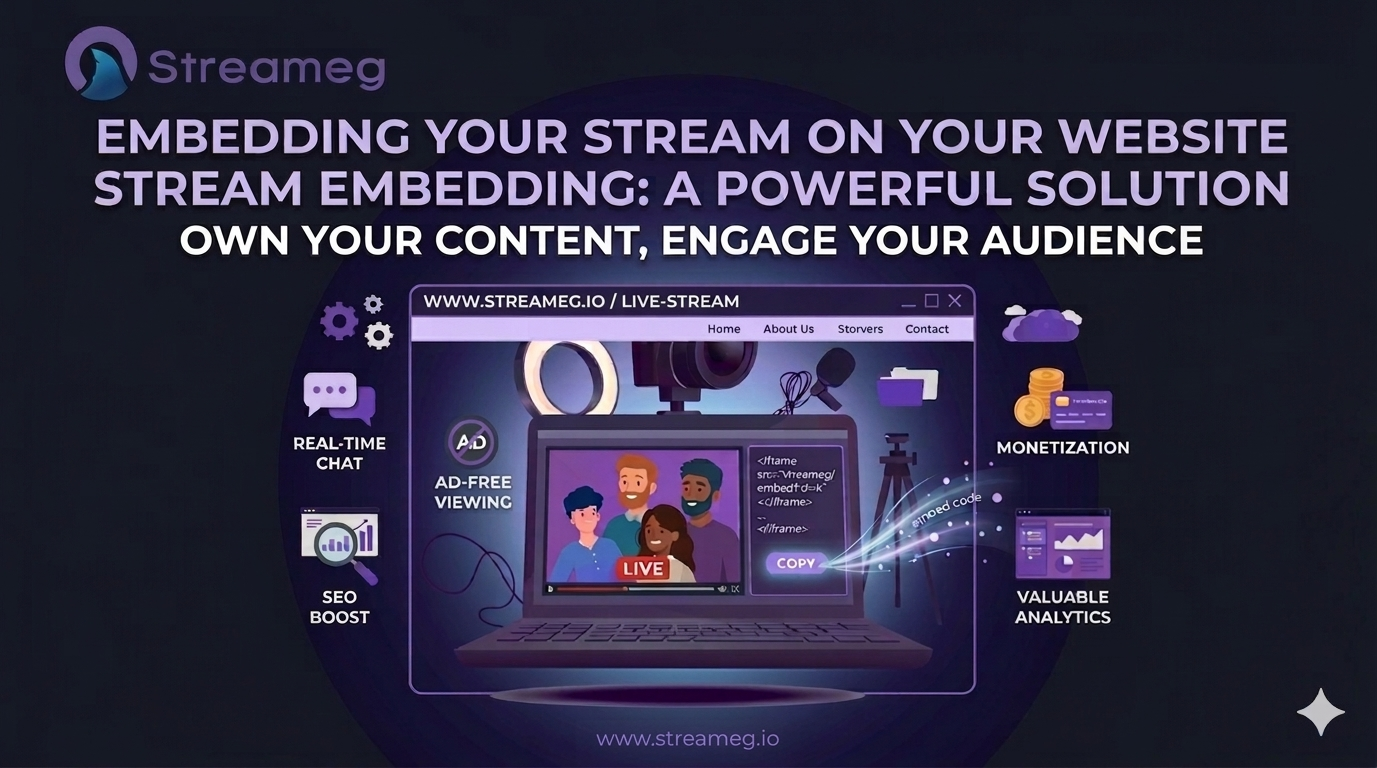
Embedding Your Stream on Your Website
1.Introduction
In the dynamic landscape of digital content consumption, live streaming has emerged as a potent tool for businesses, creators, and individuals to connect, engage, and inform. Beyond simply broadcasting content, embedding your live stream directly on your website offers a myriad of benefits that can significantly elevate your online presence and audience interaction. This comprehensive guide explores the significance of stream embedding, introduces Streameg as a powerful solution, and provides actionable strategies to optimize your embedding efforts.
Why Embed Your Live Stream?
Embedding your live stream directly on your website is a strategic move that can significantly impact your online presence. By taking control of your content distribution, you can enhance viewer engagement, boost SEO, and unlock new monetization opportunities.
2.Benefits of Live Streaming Directly on Your Website
Live streaming directly on your website offers a multitude of advantages that can help enhance your brand’s reach, engagement, and overall online presence.
2.1 Increased Control
Embedding your live stream directly on your website grants you a level of control that simply isn't attainable when relying on third-party platforms. This ownership offers several key advantages.
2.1.1 Customize the viewer experience:
When your live stream is hosted on your website, you have the freedom to tailor it to perfectly align with your brand identity and audience preferences. From the overall aesthetic to the specific content featured, every element can be meticulously crafted to resonate with your viewers. Whether you want to maintain a sleek, minimalist look or adopt a more vibrant and energetic style, the choice is entirely yours. Tailor the stream to match your brand aesthetic and user preferences.
2.1.2 Implement branding elements:
Your website is a digital extension of your brand, and your live stream should be no exception. Embedding your stream allows you to seamlessly integrate your logo, color palette, and messaging into the viewing experience. This consistency reinforces brand recognition and creates a strong, unified impression on your audience. By curating a visually appealing and on-brand environment, you can effectively communicate your brand values and establish a deeper connection with your viewers. Seamlessly integrate your logo, colors, and messaging throughout the stream.
2.1.3 Avoid third-party ads:
One of the most significant benefits of hosting your live stream on your own website is the ability to eliminate intrusive third-party advertisements. This creates a clean, uninterrupted viewing experience for your audience, allowing them to fully immerse themselves in your content without distractions. By prioritizing viewer satisfaction and providing an ad-free environment, you demonstrate your commitment to delivering a high-quality experience and foster a positive brand perception.
In essence, increased control over your live stream empowers you to create a truly exceptional viewing experience that aligns with your brand, engages your audience, and drives results. By harnessing the power of customization, branding, and ad-free presentation, you can elevate your live streaming efforts and achieve your desired outcomes.
2.2 Enhanced Audience Engagement
Embedding your live stream directly on your website opens up new avenues for audience interaction, leading to increased engagement. Direct interaction with your audience can lead to higher engagement rates.
2.2.1 Real-time comments and feedback:
The ability to engage in live chat with your audience creates a dynamic and interactive experience. By responding to comments and questions in real-time, you foster a sense of community, build relationships, and demonstrate genuine interest in your viewers' perspectives. This two-way communication can significantly enhance audience satisfaction and loyalty. Foster a sense of community and build relationships with viewers.
2.2.2 Higher viewer retention:
Keeping viewers engaged throughout your live stream is crucial for maximizing its impact. By incorporating interactive elements such as polls, Q&A sessions, and exclusive behind-the-scenes content, you can encourage active participation and prevent viewer drop-off. These interactive features create a more dynamic and immersive experience, making viewers more likely to stay tuned in and return for future broadcasts. Keep viewers engaged by offering exclusive content and interactive elements.
2.3 SEO Benefits
Embedding live streams on your website can significantly boost your search engine optimization (SEO) efforts. Improve your website’s search engine ranking by embedding live streams.
2.3.1 Increase time spent on your site:
Search engines favor websites with high user engagement. By embedding live streams, you encourage viewers to spend more time on your site, which can positively impact your SEO rankings. Longer viewing sessions signal to search engines that your content is valuable and relevant to users. Longer viewing sessions can positively impact your SEO.
2.3.2 Relevant keywords and descriptions:
Optimizing your live stream metadata with relevant keywords and descriptions is essential for improving search visibility. By strategically incorporating target keywords into your stream titles, descriptions, and tags, you increase the chances of your live stream appearing in search engine results pages (SERPs). This helps attract organic traffic and expand your audience reach.Optimize your stream metadata for better search visibility.
2.4 Data and Analytics
Embedding your live stream on your website provides a wealth of data that can be harnessed to gain invaluable insights into your audience. By leveraging analytics, you can unlock the secrets to audience behavior, preferences, and engagement, enabling you to refine your content strategy and optimize future streams. Gain valuable insights into your audience through detailed analytics.
2.4.1 Track viewer behavior:
Understanding your audience is the cornerstone of effective content creation. By tracking viewer behavior, you can gain valuable insights into their preferences, interests, and consumption habits. Key metrics to monitor include demographics, peak viewing times, content consumption patterns, and viewer retention. This data empowers you to identify your target audience, tailor your content accordingly, and create a more engaging viewing experience.Identify trends and preferences to refine your content strategy.
2.4.2 Optimize future streams:
The data collected from your live streams is a powerful tool for refining your strategy and maximizing impact. By analyzing viewer behavior and performance metrics, you can make data-driven decisions to improve future broadcasts. Conduct A/B testing to experiment with different formats and content, refine your content based on viewer feedback, optimize your streaming schedule, and evaluate the effectiveness of your promotional efforts. This iterative approach allows you to continuously enhance your live streaming strategy, increase audience engagement, and achieve your desired outcomes.Use data to make informed decisions about scheduling, topics, and promotion.
2.5 Monetization Opportunities
Embedding your live stream on your website presents a range of opportunities to generate revenue. By exploring various monetization strategies, you can transform your live streams into a profitable venture. Explore various monetization strategies to generate revenue from your live streams.
2.5.1 Implement membership or subscription models:
Offering exclusive content and perks to paying subscribers can be a lucrative monetization strategy. By creating a membership or subscription-based model, you can provide your most loyal fans with exclusive access to behind-the-scenes content, early access to new products or services, and personalized interactions. This not only generates revenue but also fosters a deeper connection with your audience. Offer exclusive content and perks to paying subscribers.
2.5.2 Sell products or services:
Integrating e-commerce features into your live streams allows you to directly sell products or services to your viewers. By showcasing and promoting your offerings during your broadcasts, you can capitalize on the enthusiasm and engagement of your audience. This approach can be particularly effective for businesses in the fashion, beauty, or lifestyle industries. Integrate e-commerce features to drive sales during your streams.
2.5.3 Accept donations or tips:
Allow viewers to support your channel directly. Allowing viewers to support your channel directly through donations or tips is a popular monetization method. By expressing gratitude and offering incentives for donations, you can encourage viewer generosity. Platforms like Patreon or PayPal can be used to facilitate this process.
3. Start Embedding with Streameg
Now that you understand the advantages of embedding your live stream on your website. As we've established, embedding your live stream directly on your website unlocks a plethora of benefits. Now, let's delve deeper into the process of achieving this with Streameg, a user-friendly platform designed to empower creators.
Let's explore how Streameg can simplify the process. Streameg is a user-friendly live streaming platform designed to empower creators with powerful features and seamless integration. Here's why Streameg is the perfect choice for embedding your live stream:
3.1. Create an Account on Streameg
Before you can begin embedding live streams, you’ll need to create an account on Streameg. The process is simple and quick, and you’ll be up and running in no time.
3.1.1: Visit the Streameg Website
Head over to Streameg’s official website at Streameg. On the homepage, you’ll find an option to sign up for a free account. Streameg offers a user-friendly interface, making the sign-up process a breeze.
3.1.2: Sign Up for a Free Account
Click on the “Sign Up” button and fill in your details, including your name, email address, and a secure password. Streameg also offers the option to sign up using your existing Google or Facebook account for added convenience.
3.1.3: Explore Streameg’s Features
Once you’ve signed up, take a moment to explore Streameg’s dashboard. Familiarize yourself with the various features and options available. Streameg offers a range of tools designed to enhance your streaming experience, from multi-platform broadcasting to advanced analytics.
3.1.4: Check Out the Video Tutorials
If you’re new to live streaming or need a refresher on Streameg’s features, be sure to check out their informative video tutorials on YouTube at Streameg. These tutorials cover everything from basic setup to advanced features, helping you get the most out of your Streameg account.
3. 2. Start Streaming with Streameg
With your Streameg account set up, it’s time to start streaming. Whether you’re broadcasting a live event or hosting a webinar, Streameg makes it easy to configure your stream settings and go live.
3.2.1: Enter Your Stream Details
Log in to your Streameg account and navigate to the “Live Streaming” section. Here, you’ll be prompted to enter your stream details. This includes your Stream URL, Stream Key, and any scheduled details for your broadcast.
Stream URL and Stream Key: These are essential for connecting your streaming software (like OBS or Streamlabs) to Streameg. The Stream URL is the destination where your stream will be sent, while the Stream Key is a unique identifier that links your stream to your Streameg account.
Scheduled Details: If you’re planning a live event in advance, you can schedule your stream by setting the date and time. This allows your audience to know when to tune in, and you can promote the event ahead of time.
3.2.2: Customize Your Stream Settings
Streameg provides various options to customize your stream settings, ensuring that your broadcast looks and feels exactly the way you want. You can adjust the resolution, frame rate, and bitrate to match your desired quality level. Additionally, Streameg offers options for customizing your player design, including themes, colors, and overlays.
3.3. Get the Embed Code
Now that your stream is set up and ready to go live, it’s time to get the embed code. This code will allow you to integrate your live stream directly into your website, making it accessible to your visitors without needing to navigate to another platform.
3.3.1: Access the Embed Tab
Once you’ve configured your stream settings and are satisfied with the player design, navigate to the “Embed” tab within Streameg’s dashboard. This tab is specifically designed to generate the embed code that you’ll need to integrate your stream into your website.
3.3.2: Generate the Embed Code
Click on the “Generate Embed Code” button. Streameg will automatically create a unique embed code tailored to your stream. This code includes the necessary HTML and JavaScript elements required to display the stream player on your website.
3.3.3: Copy the Embed Code
After generating the embed code, simply copy it to your clipboard. Be sure to keep this code handy, as you’ll need it in the next step when you integrate the stream into your website.
3. 4. Integrate the Stream on Your Website
With the embed code in hand, you’re ready to integrate your live stream into your website. This process involves pasting the embed code into the HTML section of the page where you want the stream to appear.
3.4.1: Log In to Your Website
Begin by logging into your website’s content management system (CMS). Whether you’re using WordPress, Wix, Squarespace, or a custom-built website, the process of embedding the stream is relatively similar across platforms.
3.4.2: Locate the Desired Page
Navigate to the page where you want to embed your live stream. This could be your homepage, a dedicated live stream page, or even a blog post. Wherever you choose to embed the stream, make sure it’s easily accessible to your audience.
3.4.3: Access the HTML Section
Once you’ve selected the page, switch to the HTML view or code editor. In WordPress, for example, you can do this by clicking on the “Text” tab in the editor, which switches from the visual editor to the HTML editor. Other platforms may have a dedicated “Embed” option or a similar feature.
3.4.4: Paste the Embed Code
In the HTML section, locate the area where you want the live stream player to appear. Paste the embed code you copied from Streameg into this section. Be sure to place the code in the exact spot where you want the player to display it, as it will appear exactly as embedded.
3.4.5: Save Your Changes
After pasting the embed code, save your changes and preview the page to ensure the live stream player is displaying correctly. If everything looks good, you’re all set! Your live stream is now embedded on your website, ready for your audience to watch.
3. 5. Optimize Your Embedded Stream
Embedding your live stream on your website is just the beginning. To maximize engagement and ensure a smooth viewing experience for your audience, consider the following optimization tips.
3.5.1: Test Your Stream
Before your event goes live, it’s crucial to test the embedded stream to ensure everything is working as expected. This includes checking the video quality, audio synchronization, and overall performance. Streameg allows you to conduct test streams without going live to your audience, giving you the chance to iron out any issues beforehand.
3.5.2: Customize the Player Appearance
Streameg’s player customization options allow you to match the look and feel of your website. Adjust the player’s color scheme, add a logo, and choose from various themes to create a cohesive visual experience for your viewers.
3.5.4: Promote Your Stream
Once your stream is embedded on your website, promote it across your social media channels, email newsletters, and other marketing platforms. The more you promote, the more viewers you’ll attract. Streameg’s multi-streaming capabilities allow you to broadcast across multiple platforms simultaneously, further expanding your reach.
3.5.5: Engage with Your Audience
Live streaming is a dynamic and interactive medium, so take advantage of the opportunity to engage with your audience in real-time. Respond to comments, answer questions, and encourage viewers to share your stream. Streameg’s chat integration makes it easy to manage interactions across different platforms from one central dashboard.
3. 6. Advanced Embedding Options
For users who want to take their embedded streams to the next level, Streameg offers advanced embedding options. These features allow you to customize the viewing experience even further and integrate additional functionality into your streams.
3.6.1: Responsive Design
Ensure that your embedded stream is responsive and mobile-friendly. With an increasing number of users accessing content on their smartphones and tablets, it’s essential that your live stream player adapts to different screen sizes. Streameg’s embed code is designed to be responsive, but you can further customize the CSS to fine-tune the appearance on mobile devices.
3.6.2: Interactive Elements
Add interactive elements to your embedded stream, such as polls, quizzes, and live chat. These features not only enhance viewer engagement but also provide valuable feedback and data. Streameg supports the integration of third-party tools and widgets, giving you the flexibility to create a truly interactive streaming experience.
Conclusion
Embedding your live stream on your website is a strategic decision that can yield substantial benefits for your business or personal brand. By leveraging the power of Streameg and implementing best practices, you can create engaging, interactive, and monetizable streaming experiences that captivate your audience and drive growth.